Listen to this content
In a fast-moving newsroom or a multi-author blog, “best practices” are usually the first thing to go out the window when a deadline looms. The most common casualty? Featured Images. To solve this, I built a specialized MU-plugin (Must-Use plugin) that intercepts the WordPress save process. Unlike standard plugins, an MU-plugin is automatically enabled across the entire site (or network) and cannot be deactivated from the admin dashboard, making it the perfect tool for enforcing global editorial standards.
Deep Dive: Looking for more on why MU-plugins are a developer’s secret weapon? Check another post, WordPress Superpowers: A Guide to Must-Use (MU) Plugins, where I break down how they differ from standard plugins and why they require such careful handling.
Publishing without a featured image isn’t just a visual glitch—it is a self-inflicted wound to your WordPress site’s SEO and social performance.
The WordPress SEO Gap
When you click “Publish” in WordPress and leave that featured image box empty, you are creating several invisible problems:
- Broken Social Snippets: WordPress uses the featured image to populate Open Graph tags. Without it, platforms like X and LinkedIn will often pull a random banner or show a blank box, cratering your click-through rate.
- Google Discover Ineligibility: Google’s Discover feed is a massive traffic driver, but it has strict visual requirements. No high-quality image usually means zero Discover traffic.
- Schema Markup Failures: SEO plugins like Yoast or RankMath rely on the featured image to generate
Articleschema. Missing images can lead to Search Console errors that hurt your ranking potential.
Intercepting the Block and Classic Editors
WordPress makes enforcement tricky because there are now two distinct ways to save content. This plugin addresses both to ensure there are no loopholes.
1. The Block Editor (Gutenberg) & REST API
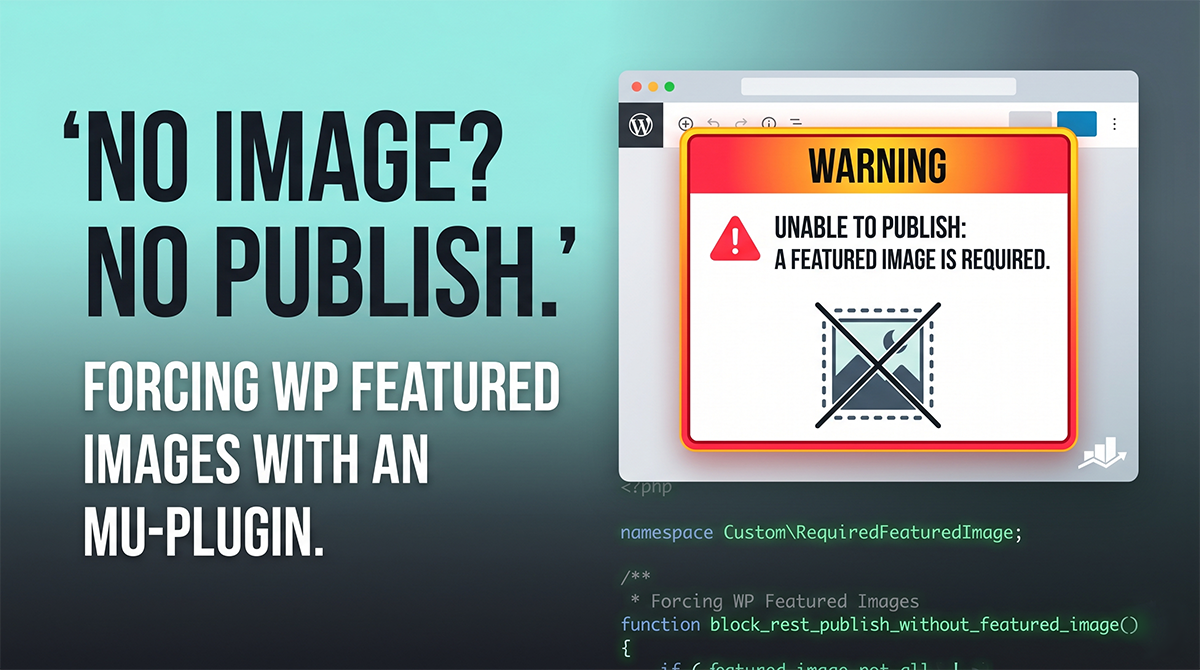
Modern WordPress saves via the REST API. The plugin hooks into rest_pre_insert_{$post_type}. If the featured image is missing, it returns a WP_Error. This triggers a clear, user-friendly error message inside the Block Editor that physically prevents the post from being published.
2. The Classic Editor & Quick Edit
For the Classic Editor or “Quick Edit” features, we hook into wp_insert_post_data. Since this filter doesn’t support returning errors, the plugin performs a “silent downgrade”—it switches the status back to Draft and flags the URL to display a warning to the editor upon redirect.
The Code: Required Featured Image Guard
Save this code into wp-content/mu-plugins/required-image.php. Because it is an MU-plugin, you don’t need to “activate” it; WordPress will load it automatically.
PHP
<?php
/**
 * Plugin Name: WordPress Required Featured Image
 * Description: Prevents WordPress posts from being published without a featured image.
 */

declare( strict_types = 1 );

namespace Custom\RequiredFeaturedImage;

use WP_Error;

if ( ! defined( 'ABSPATH' ) ) {
    exit;
}

const TEXT_DOMAIN = 'wp-required-image';
const NOTICE_QUERY_ARG = 'missing_featured_image_error';
const REST_REQUEST_GLOBAL = 'wp_required_featured_image_rest_request';

/**
 * Define which post types require an image.
 */
const REQUIRED_POST_TYPES = array(
    'post',
    'page',
);

const PUBLICATION_STATUSES = array(
    'publish',
    'future',
);

/**
 * Registers REST guards for the Block Editor.
 */
function register_rest_guards(): void {
    foreach ( REQUIRED_POST_TYPES as $post_type ) {
       add_filter( "rest_pre_insert_{$post_type}", __NAMESPACE__ . '\\block_rest_publish_without_featured_image', 10, 2 );
    }
}
add_action( 'init', __NAMESPACE__ . '\\register_rest_guards', 100 );

add_filter( 'rest_pre_dispatch', __NAMESPACE__ . '\\capture_rest_request', 1, 3 );
add_filter( 'wp_insert_post_data', __NAMESPACE__ . '\\downgrade_publish_without_featured_image', 20, 4 );
add_filter( 'redirect_post_location', __NAMESPACE__ . '\\add_admin_notice_redirect_flag', 10, 2 );
add_action( 'admin_notices', __NAMESPACE__ . '\\show_admin_notice' );

function capture_rest_request( $result, $server, $request ) {
    $GLOBALS[ REST_REQUEST_GLOBAL ] = $request;
    return $result;
}

function is_required_post_type( string $post_type ): bool {
    return in_array( $post_type, REQUIRED_POST_TYPES, true ) && post_type_exists( $post_type );
}

function is_publication_status( string $status ): bool {
    return in_array( $status, PUBLICATION_STATUSES, true );
}

/**
 * Gutenberg/REST API Guard
 */
function block_rest_publish_without_featured_image( $prepared_post, $request ) {
    $post_id   = $prepared_post->ID ?? 0;
    $post_type = $prepared_post->post_type ?? '';
    $status    = $prepared_post->post_status ?? '';

    if ( ! is_required_post_type( $post_type ) || ! is_publication_status( $status ) ) {
       return $prepared_post;
    }

    if ( has_image_id_in_request( (int) $post_id, array(), $request ) ) {
       return $prepared_post;
    }

    return new WP_Error(
       'featured_image_required',
       __( 'WordPress requires a featured image before this can be published.', TEXT_DOMAIN ),
       array( 'status' => 400 )
    );
}

/**
 * Classic Editor / Quick Edit Guard
 */
function downgrade_publish_without_featured_image( array $data, array $postarr ): array {
    if ( ! is_required_post_type( $data['post_type'] ) || ! is_publication_status( $data['post_status'] ) ) {
       return $data;
    }

    if ( has_image_id_in_request( (int) ($postarr['ID'] ?? 0), $postarr ) ) {
       return $data;
    }

    $GLOBALS['wp_image_blocked'] = true;
    $data['post_status'] = 'draft';

    return $data;
}

/**
 * Validates if an image ID exists in the current save request
 */
function has_image_id_in_request( int $post_id, array $postarr = array(), $request = null ): bool {
    $keys = array( '_thumbnail_id', 'featured_media', 'featured_media_id' );

    foreach ( $keys as $key ) {
        if ( isset( $_POST[$key] ) && (int) $_POST[$key] > 0 ) return true;
        if ( isset( $postarr[$key] ) && (int) $postarr[$key] > 0 ) return true;
    }

    return $post_id > 0 && (int) get_post_meta( $post_id, '_thumbnail_id', true ) > 0;
}

function add_admin_notice_redirect_flag( string $location, int $post_id ): string {
    return ! empty( $GLOBALS['wp_image_blocked'] ) ? add_query_arg( NOTICE_QUERY_ARG, '1', $location ) : $location;
}

function show_admin_notice(): void {
    if ( ! empty( $_GET[ NOTICE_QUERY_ARG ] ) ) {
       echo '<div class="notice notice-error"><p>' . esc_html__( 'Publication Blocked: You must set a featured image in WordPress before publishing.', TEXT_DOMAIN ) . '</p></div>';
    }
}
Final Thoughts
By putting this guardrail in place at the MU-plugin level, you take the guesswork out of your editorial workflow. Authors no longer have to remember the “Featured Image rule”—the WordPress interface simply won’t let them forget. It’s a win for consistent design and a major win for your site’s SEO and social reach.
Leave a Reply