Skip to content

Tag: WordPress plugins

  • Why I Built Lumenare Search: A Search Engine, Not a Search Theme

    Why I Built Lumenare Search: A Search Engine, Not a Search Theme

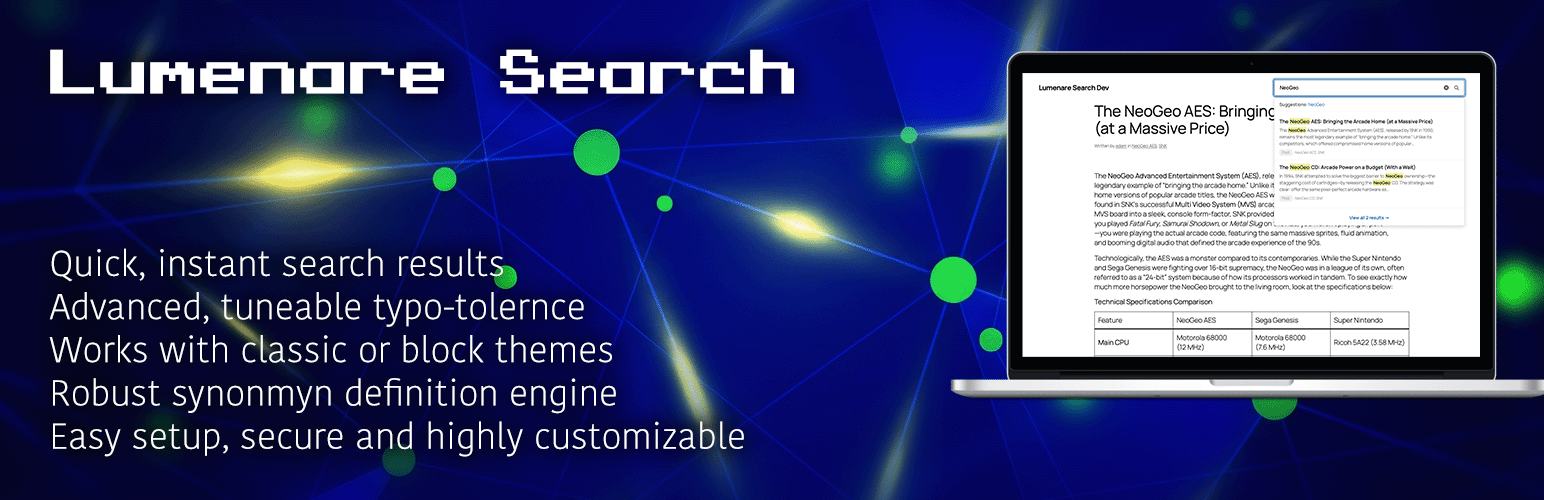
    If you’ve ever gone shopping for a WordPress search plugin, you know the drill. On one end, there’s the default WordPress search—which is “functional” in the same way a tricycle is a “vehicle.” On the other, you have premium plugins that offer incredible results but come buried under a mountain of configuration tabs you never asked for.

    I built Lumenare Search because I wanted the “Goldilocks” solution: a genuinely free, developer-friendly engine that does the heavy lifting of intelligent search without the “Pro” price tag or the administrative bloat.

    The Problem with “Pro” Search

    Commercial search plugins often follow the same playbook: pack in every conceivable toggle, custom CSS editor, and drag-and-drop builder to justify a premium license. If you’re a site owner who wants to build a UI from a settings panel, that’s great. But for developers, all that UI is just overhead.

    For quite some time, my “go-to” search plugin was always Ajax Search Pro. It’s a great plugin and I have nothing but good things to say about it and it’s developer. However, as the plugin matured and added more features, I found myself struggling to integrate the frontend search presentation into the custom themes I had been tasked with building.

    I kept hitting the same wall with Ajax Search Pro, I’d spend days fighting its built-in styles and themes to match my design. The plugin was trying to own the entire experience which is okay and not a criticism but I needed something I could work into my design so that it looked like it was supposed to be there. With Ajax Search Pro, I had to shoehorn a great search engine that didn’t quite look right into my custom themes and hope no one noticed. I wanted a search engine instead of a search theme.

    What’s Under the Hood?

    At its core, Lumenare Search swaps out the basic LIKE queries of default WordPress for a sophisticated, weighted keyword index. It prioritizes matches where they matter most—titles carry more weight than excerpts, and excerpts more than body content.

    But relevance is about more than just weights. I’ve included the features that actually move the needle on user experience:

    • Fuzzy Matching: Because humans are bad at typing. A search for “WordPres” still finds your content using Levenshtein distance.
    • Synonyms: Map “car” to “automobile” or “vehicle” so your users find what they need, even if they don’t use your specific vocabulary.
    • Stop Words: We strip out the noise (like “a,” “the,” and “is”) so the index stays lean and focused on meaningful keywords.
    • Dynamic Trending Ranking: Automatically surface the content that’s actually gaining traction on your site right now.
    • Actionable Analytics: Track zero-result queries to identify content gaps and see exactly what your users are looking for.

    The Developer-First Philosophy

    Here is the Lumenare difference: It stays out of your way. There is no visual builder. No custom CSS editor baked into your admin panel. The settings that exist are there to tune search behavior—match modes, weights, and logic.

    How the form looks and how the results are displayed is your domain. Whether you’re using the Gutenberg block, a shortcode, or a widget, Lumenare provides the data and the functionality; you provide the CSS and the theme integration. A search plugin should empower your frontend architecture, not dictate it.

    Free, Private, and Local

    I believe core search functionality shouldn’t be locked behind a paywall. There is no “Pro” version of Lumenare Search. No feature gating, no upsells, and no nag screens.

    More importantly, Lumenare Search is private by default. It runs entirely on your server. No external API calls, no third-party data transmission, and no cloud dependencies. Your index and your analytics live in your database. If you clear them, they’re gone.

    Ready to Try It?

    Lumenare Search is available now on the WordPress Plugin Repository.

    Install it, build your index, and see how it feels. If you want to dive deep into the technical weeds, check out our Getting Started Guide or our Weight Tuning Guide.

    If you have a feature request or run into a bug, catch me over at the Support Forums. Let’s make search better together.

  • Guard Dog: Building the WordPress Security Tool I Actually Wanted to Use

    Guard Dog: Building the WordPress Security Tool I Actually Wanted to Use

    There’s a specific kind of clarity that comes from what I call “rage coding.”

    A while back, I started a high-stakes, custom WordPress integration for my employer. The project had unique security needs to keep personally identifiable information as well as financial information safe and secure. I had a specific list of security layers and features I needed that would have taken at least a few plugins and some money check all the boxes and even then – I knew there would inevitably be some custom code I would have to write.

    I’d been using a plugin called AIO Login for years, but mostly just to change the admin URL. When I looked into their “Pro” features to fill the gaps in my project, I hit a wall. I don’t begrudge anyone for wanting to get paid for their software, but the “freemium” shift in the WordPress ecosystem—where foundational tools like Pojo One Click Accessibility or Aryo Activity Log are sold off or locked behind subscriptions—started to wear on me.

    I realized I could either pay a nominal fee for a tool that mostly did what I wanted, or I could build the exact tool I needed.

    I chose the latter. Guard Dog is the result.

    The “Crown Jewel” of My Workflow

    Guard Dog has been in the official WordPress repository for about five months, following a six-month deep-dive in development. It is, without hyperbole, my “crown jewel.”

    I use it every single day. It’s installed on my personal sites (including this one), as well as sites that handle hundreds of thousands of users from a global audience each month. I depend on it to secure sites that handle personal data and actual revenue streams. Because I’m the primary user, I’m obsessive about its stability. If it breaks, any and all of the fallout is on me and that’s not something I take lightly at all.

    Built for Me, Shared with You

    I am a very particular person. I built Guard Dog to meet my “needs” first, and then I started adding “wants”—quality-of-life features that make things easier for both admins and end-users.

    Recently, I pushed a major update: Passkey support. I added this primarily because I wanted to use Passkeys on my own sites. It’s the gold standard for modern, passwordless security, and I didn’t think it was something users should have to pay a premium for.

    What’s currently under the hood:

    • Passkey Support: Secure, biometric, or hardware-key logins.
    • Session Management: See who is logged in and where, with the ability to kill sessions instantly.
    • Limit Login Attempts: Brute-force protection that actually works.
    • Temporary User Access: Grant secure, timed access to devs or support staff without permanent credentials.
    • 2FA & IP Whitelisting: The essentials for any hardened site.

    What’s Next: Reducing Friction

    The next phase of the project is focused on OAuth and Social Login.

    As a content consumer, I’ve come to expect “Login with Google”, “Login with Facebook” or some other platform provider. It’s fast, it’s easy, and it reduces the “password fatigue” we all feel. As an admin, it makes user acquisition much smoother. This is a pure quality-of-life play, and I’m currently mapping out the most secure way to bring that to the plugin.

    Why It’s Free (And Will Stay That Way)

    I’m not a salesperson, and this isn’t a pitch. I’m not looking to make money off this plugin. If you use Guard Dog and it helps you sleep better at night, that’s fantastic. If you don’t, that’s okay too.

    The internet runs on WordPress. Big companies have budgets for custom security, but the individual creator or the small team shouldn’t be penalized or left vulnerable because they don’t have (or didn’t think they would need) a budget for basic security.

    I built this for me, but I’m sharing it because a more secure WordPress ecosystem benefits everyone.


    Where to find it

  • I published an accessibility plugin called Open Accessibility!

    Within the last couple of months, I was updating plugins for one of my employer’s WordPress sites. The accessibility plugin that I had been using and that had been an incredibly popular plugin had been called One Click Accessibility. There was a major version update from 2.x to 3 and when I installed it, I was met with a wildly different plugin. Long story short, the plugin was sold to Elementor and then went commercial.

    This really, really pissed me off. I could have just stayed on version 2 of the plugin perpetually but so many other people got screwed as well. There are many other accessibility plugins available in the WordPress plugin repository but I decided to make my own out of spite.

    Accessibility platforms like UserWay and Accessibe are prevalent and big business but while they will give you a widget or something to add to your site to assist those who need with things like text size, color contrast and the like, what they are selling is a “cover your ass” service in the even that you get sued. They aren’t marketing a product to help people, they are selling fear and then a handy peace of mind solution to those who think they need it.

    I don’t know, I have a fundamental problem with making money directly or indirectly from people who have a disability or who are differently-abled. The argument can be made that commercial accessibility offerings aren’t protecting site owners from people with disabilities but rather the trolls that will sue anyone for anything and then offer a settlement to make a quick, dirty buck. Those people exist and they suck but site owners that genuinely give a shit about their users should have options a-plenty.

    The project was always intended to be open source and while it can’t provide any type of legal services, it can at least help make the best effort possible to accommodate all type of different use cases for people with different needs.

    You can find my official plugin here. This project is (and will always be) open source and my GitHub repo can be forked if you want to make it your own. I plan to actively work on this and incorporate feedback as well as new features so please let me know what you think and what you might want to see!

    By the way, I am using the plugin on this site so you can take it for a test drive and see if you think it could work for you and your sites.

  • Set Tag Order WordPress Plugin

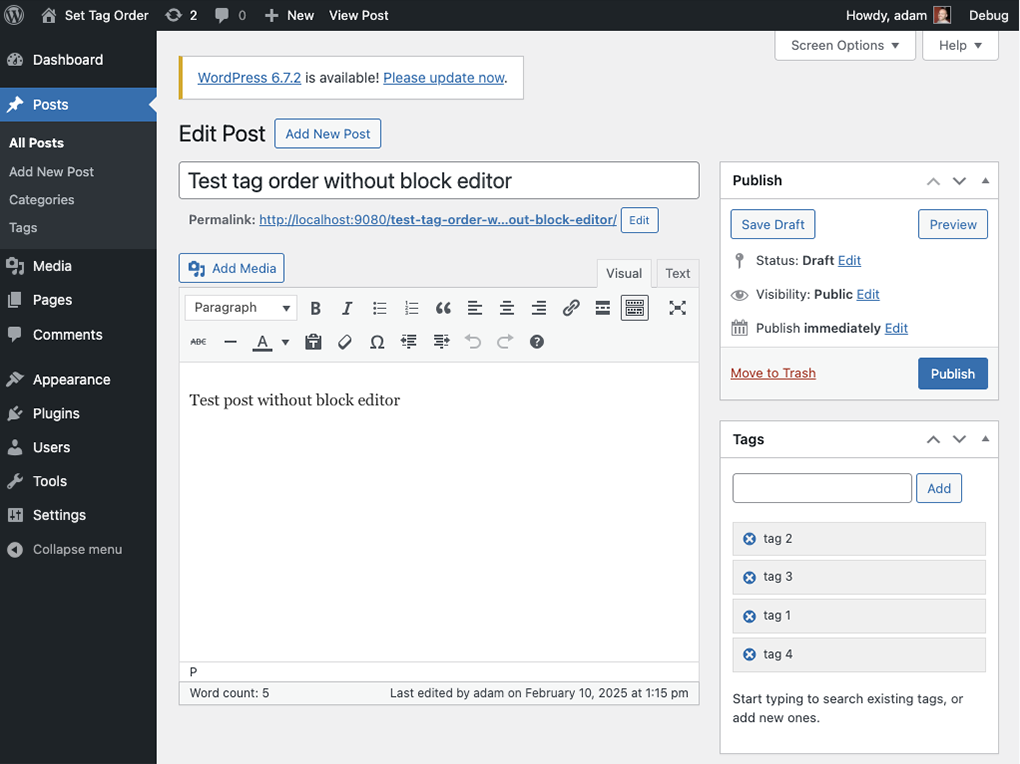
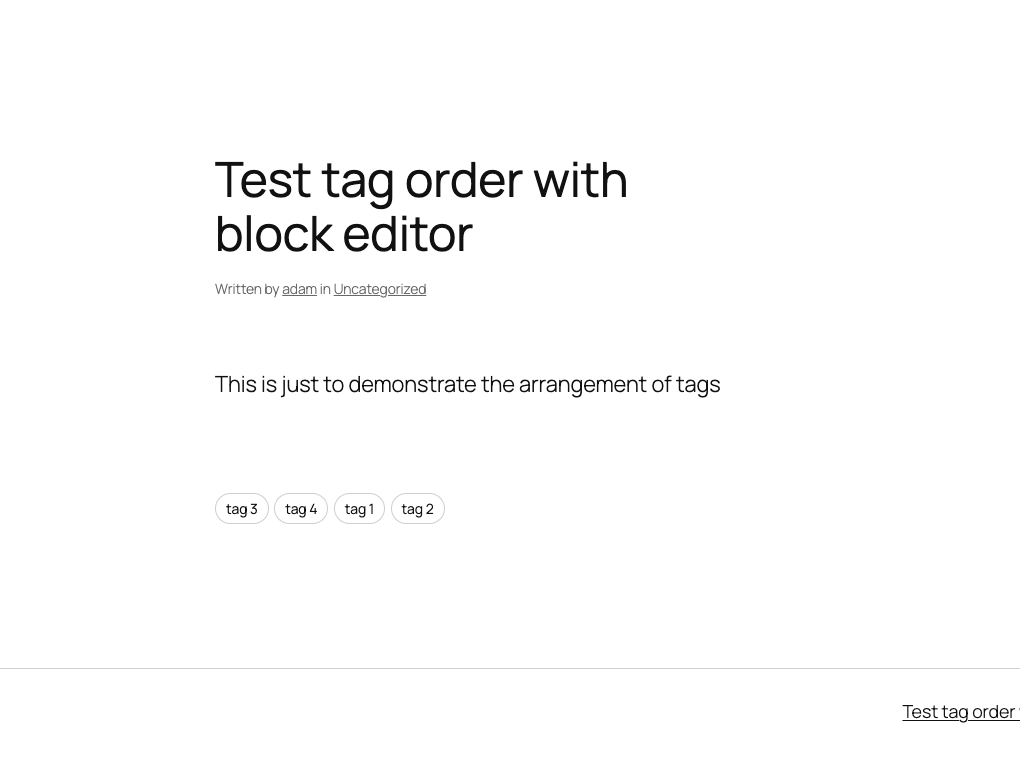
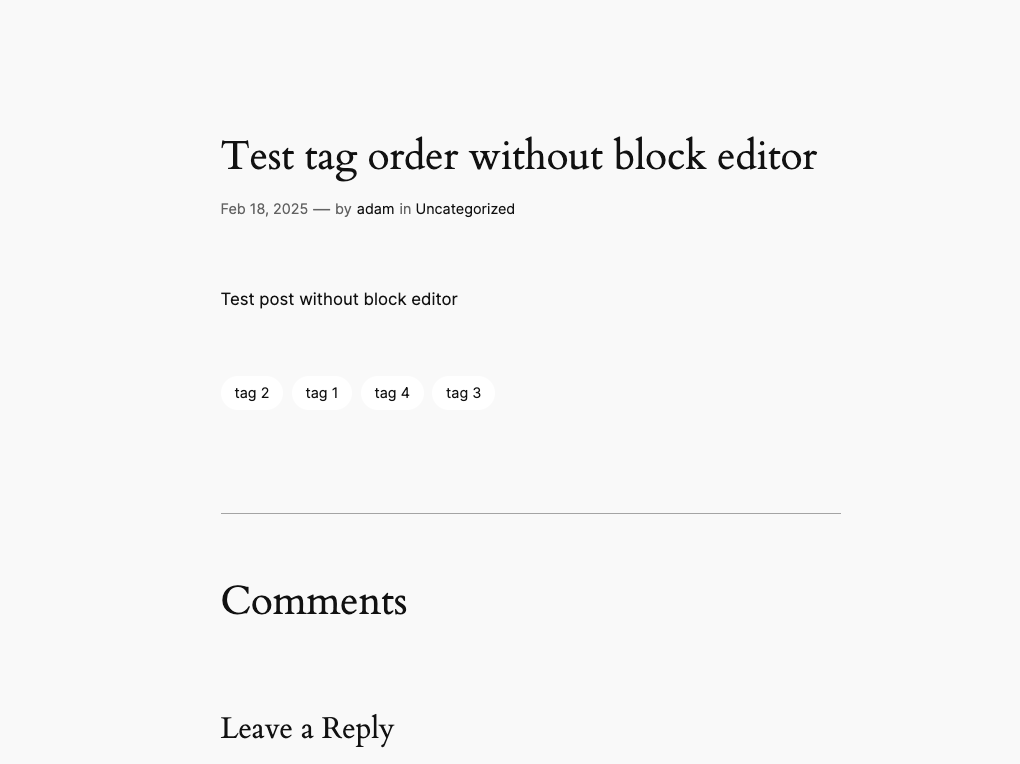
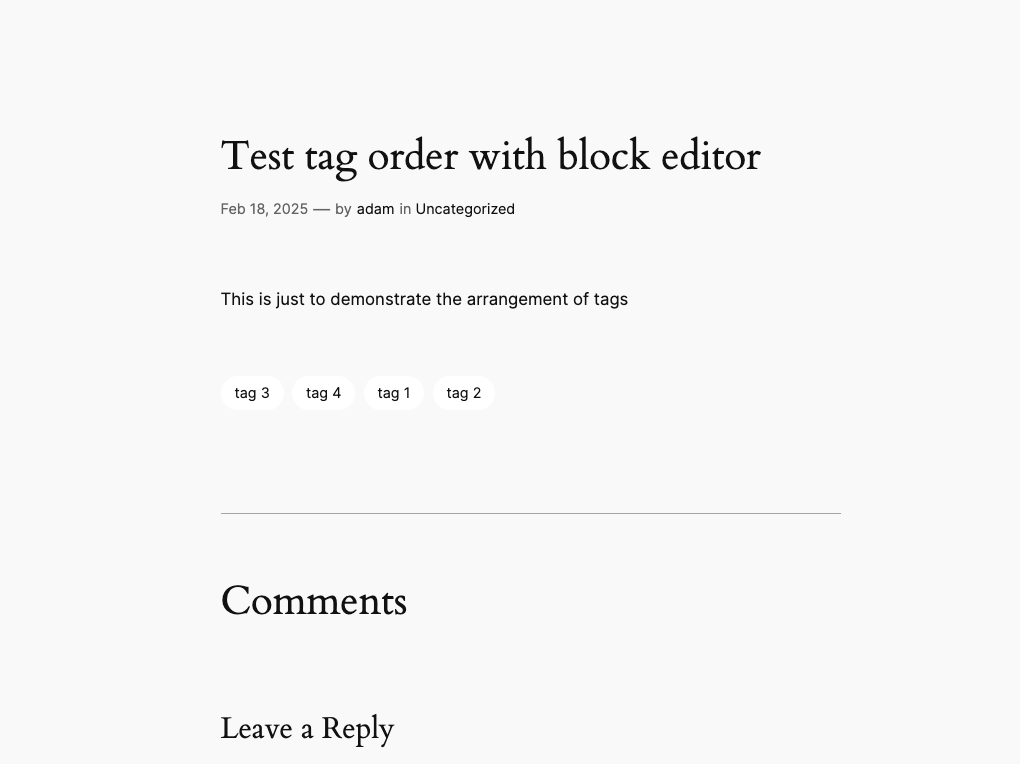
    A few months ago, I was asked to solve what I thought was a simple problem. The question was, “Can we set the display order of tags?” It seemed like a very benign question until I started to dig into it and discovered that it’s, in fact, not a simple question at all. WordPress, by default, sorts tags alphabetically when you use the get_tags() function.

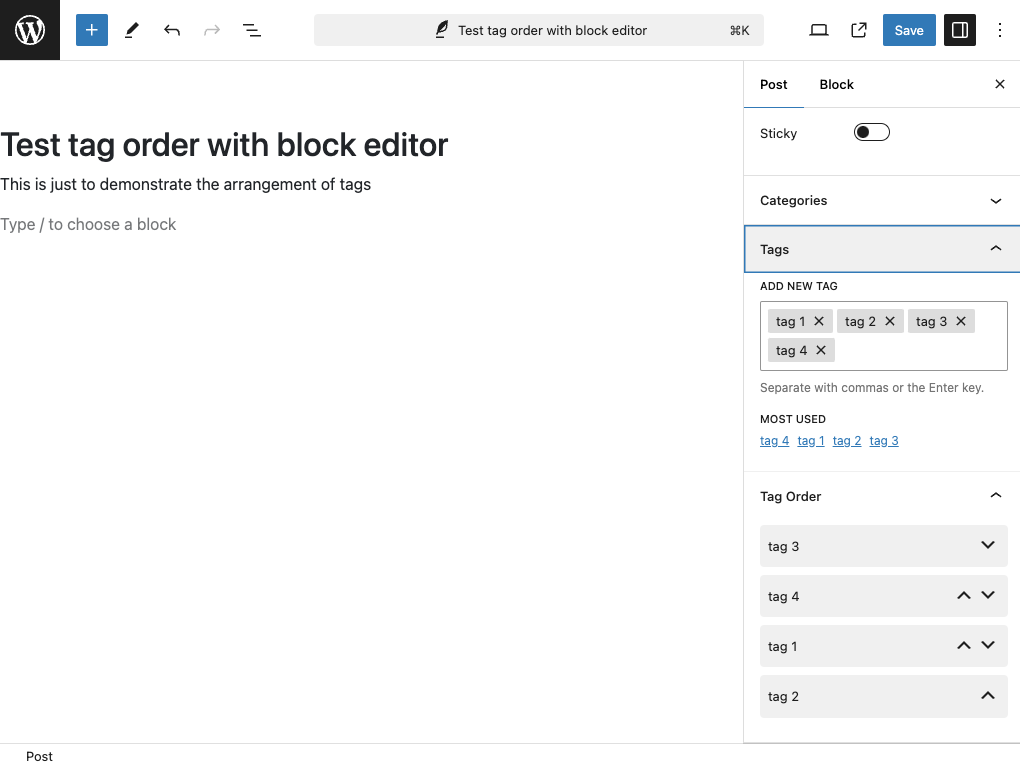
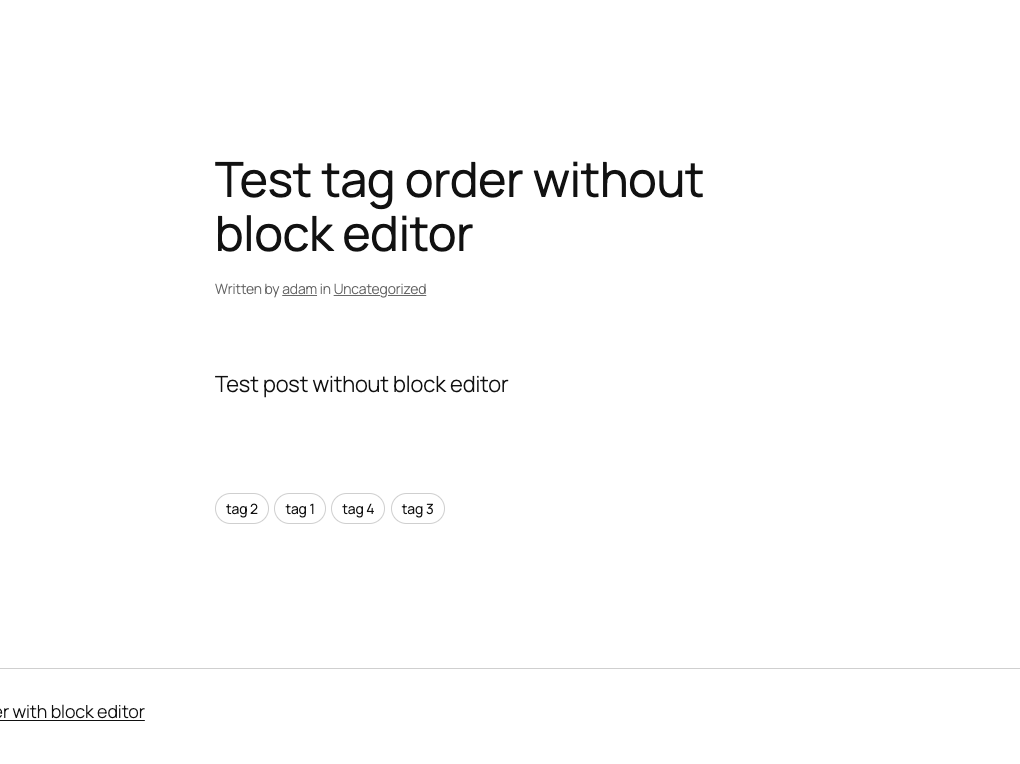
    The problem I was asked to create a solution for was to allow the editor to specify the order that tags are rendered on the corresponding post page. It was way more involed thatn I had anticipated but ultimately, I created a plugin that works with both the block editor and classic editor and should also work with any theme that displays tags using the get_tags() function.

    I’ve attached some screenshots to help illustrate but the plugin can be downloaded directly from my GitHub. I have made this public and welcome any and all feedback or feature requests!

    This plugin is now also listed in the WordPress plugin directory! You can download it from WordPress.org here or add it directly from your WordPress installation.